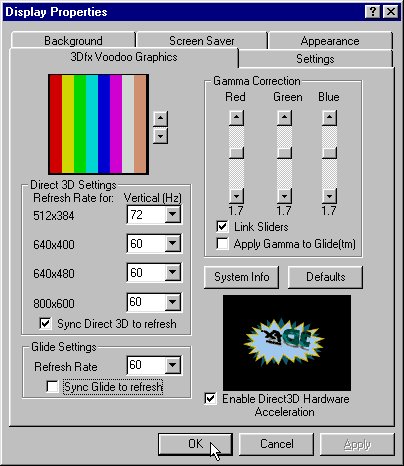
Using Voodoo Graphics Software
Using Windows 95 Display Properties Control Panel
Note: You can move the mouse cursor to the background of screen and then click the right button of mouse. Please select properties in the pop-up menu to invoke the Display Properties Control Panel.
In this page, you can:
- Setup the Vertical Refresh Rates of Direct 3D Settings.
- Setup the Vertical Refresh Rates of Glide Settings.
- Do Gamma Correction.
- Get system information by pressing "System Info" button.
- Restore to the original default settings by pressing "Defaults" button.