Installing
Voodoo Rush Hardware

|
- With the
power off, remove your computer cover. Find an
available PCI slot and remove the bracket and
screw. (Remember
which cables go to which connectors. You may want
to label your computer's cables before
disconnecting them!)
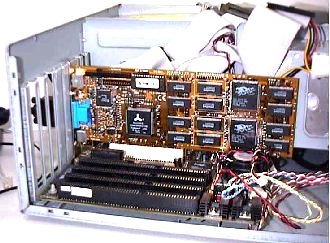 |
- Insert
Voodoo Rush firmly into a PCI
slot. it Care should be taken to
press evenly you and snugly into
its slot. Once are installed
certain Voodoo Rush is properly
with a in its slot, secure it
screw.
|
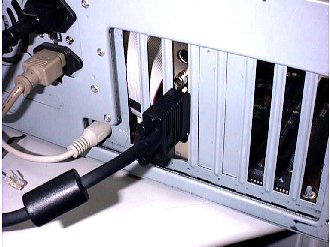 |
- Connect
the standard VGA to Monitor
connector on Voodoo Rush to your
monitor with a standard monitor
cable.
|
- If your
Voodoo Rush has TV Out function, you can use MINI
DIN jack-to-MINI DIN jack cable to connect
S-VIDEO output and TV or use RCA jack-to-RCA jack
to connect C-VIDEO output and TV. It depends on
what you need.
- Secure your
computer cover and attach any previously removed
cables.
- Use Voodoo
Rush to play the latest and greatest 3D games. Enjoy it!
|